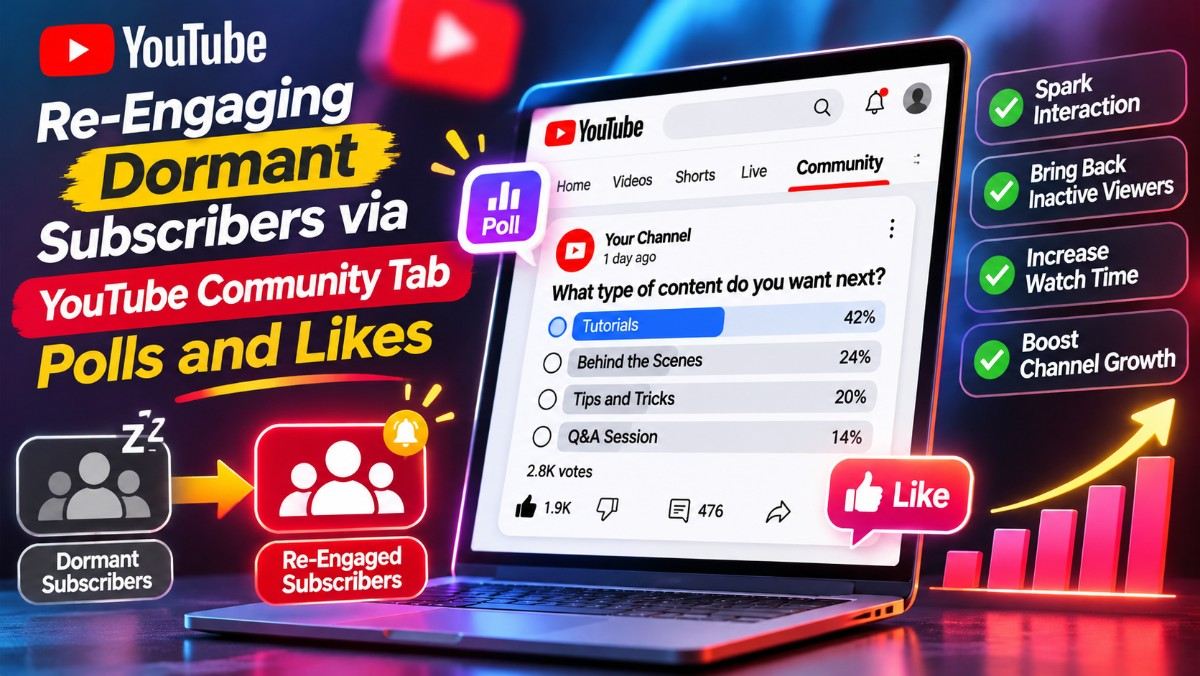
1. How Does Boosting YouTube Community Tab Poll Votes and Post Likes Help Creators Warm Up Dormant Subscribers Before a Video Launch?
**Subscriber Affinity Decay**—the gradual drop in Home feed impressions that occurs when a subscriber skips two or three consecutive uploads from a channel—is the primary reason older YouTube channels lose momentum.
Unlike a 15-minute video that requires a major time commitment, a Community Tab poll only asks for a half-second tap. Seeding early poll votes and post likes activates YouTube's mobile feed distribution through four clear steps:
- Publish a 2-to-4 Option Poll: Post an image poll or text poll directly tied to the topic of your upcoming video.
- Copy the Exact Community Post URL: Click the timestamp on the post to grab its direct link (formatted as
https://www.youtube.com/post/Ugkx...). - Seed Early Poll Votes & Post Likes: Dispatch 200 to 500 residential-routed poll votes alongside 30 to 80 post likes from your pre-funded INR wallet within the first 30 minutes.
- Capture the Organic Ripple: As YouTube registers rapid early participation, it surfaces the poll on the mobile Home feeds of both dormant subscribers and non-subscribers who share the same viewing niche.
2. Why Does a Single Poll Tap Reset YouTube’s Browse Feed Affinity Score?
**Browse Feed Affinity**—the recency-weighted signal YouTube's recommendation engine uses to decide which channels earn top-of-screen slots on a user's Home tab—updates immediately whenever a viewer interacts with any surface on your channel, including the Community Tab.
- Higher Impression Reach: YouTube's mobile app gives interactive polls wider Home feed testing than plain text announcements or external links.
- Instant Recency Signal: Once a dormant subscriber taps an option on your poll, YouTube flags your channel as recently engaged and serves your next video thumbnail to them automatically.
- Built-In Thumbnail & Title Testing: Creators can use image polls to let their audience vote between two thumbnail concepts before launch, boosting day-one click-through rates.
3. What 48-Hour Pre-Launch Poll Strategy Maximizes First-Hour Video CTR?
**Pre-Launch Audience Conditioning**—scheduling a sequence of Community Tab interactions 24 to 48 hours ahead of a flagship upload—ensures your video launches to an already-warmed Browse audience rather than a cold subscriber list.
- T-48 Hours (Curiosity Poll): Ask a polarizing or relatable question tied to your upcoming video's core theme and seed initial votes to expand reach across dormant subscribers.
- T-12 Hours (Teaser Image + Comment Pin): Reply in the poll's comment section hinting that the full breakdown drops tomorrow, then pin your comment.
- Launch Hour (Bridge to Video): Publish your long-form video or vertical clip and pair it with high-retention launch velocity. For vertical uploads, combine this warm-up with our guide on accelerating YouTube Shorts initial view velocity.
4. What Poll Vote-to-Like Ratios Keep Community Tab Posts Looking Completely Natural?
**Community Post Metric Balance**—keeping poll votes, post likes, and comments proportional—makes your Community Tab look authentically vibrant to returning subscribers and potential brand sponsors.
- Maintain a 5% to 15% Like-to-Vote Ratio: On YouTube, far more users vote in a poll than tap the thumbs-up icon. For every 500 poll votes, pairing 35 to 75 post likes mirrors genuine organic behavior.
- Split Votes Across Options: Instead of sending 100% of votes to Option 1, distribute them naturally (for example, 65% on Option 1, 25% on Option 2, and 10% on Option 3).
- Avoid Over-Posting Polls: Limit Community polls to 2 to 3 times per week so YouTube continues treating each post as a high-priority engagement event.